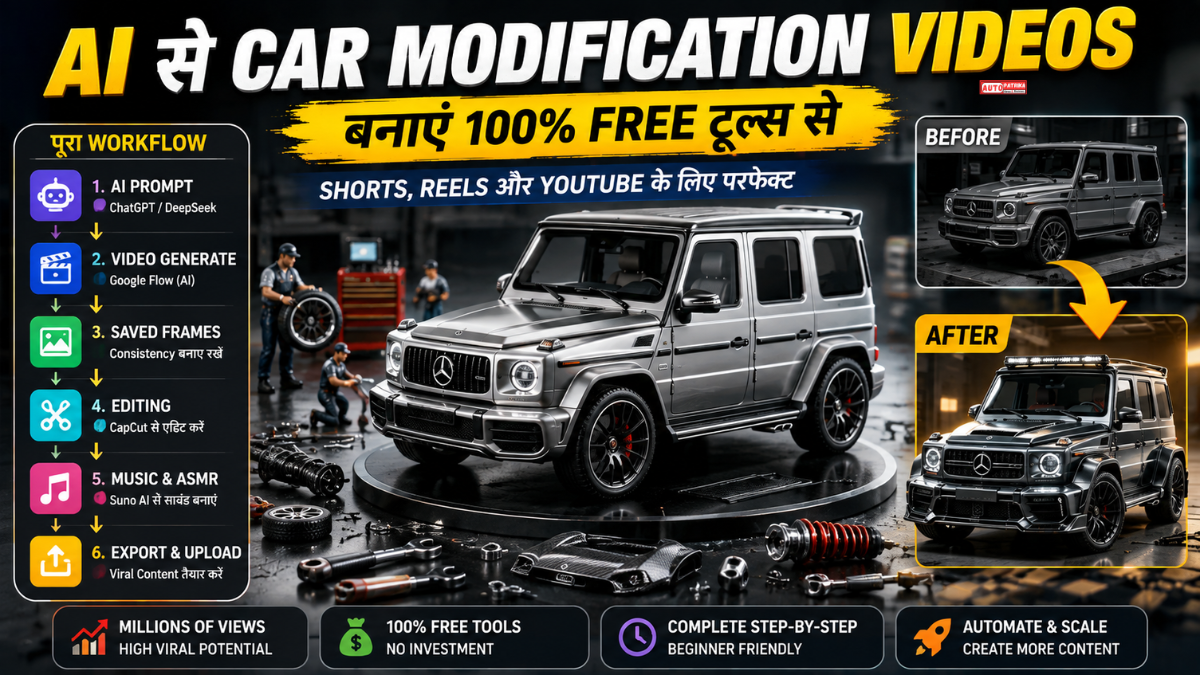
AI की मदद से AI Car Modification Videos कैसे बनाएं? जानें ChatGPT, Google Flow, Saved Frames, Suno AI और CapCut से Short और Long Videos बनाने का पूरा तरीका। सबसे अच्छी बात यह है कि इस तरह का वीडियो बनाने के लिए आपको शुरुआत में भारी बजट की जरूरत नहीं है। AI chatbot से prompt तैयार करके, Google Flow से video clips generate, Saved Frames से scenes को consistent और CapCut से final editing की जा सकती है। साथ में AI-generated music और satisfying ASMR sounds जोड़कर वीडियो को और ज्यादा आकर्षक बनाया जा सकता है। अब सवाल है, यह पूरा AI Car Modification workflow कैसे काम करता है और आप इससे अपना पहला वीडियो कैसे बना सकते हैं?
AI Car Modification Videos: बिना कैमरा और कार के बनाएं शानदार Viral Content
क्या आपने सोशल मीडिया पर ऐसे Car Modification Videos देखे हैं, जिनमें महंगी कारों को छोटे स्टूडियो में एक-एक करके modify होते हुए दिखाया जाता है? अब ऐसे satisfying automotive videos बनाने के लिए आपको असली कार, महंगा कैमरा या बड़ा production setup जरूरी नहीं है।

AI की मदद से Miniature Car Modification Videos तैयार किए जा सकते हैं। दिए गए source text के मुताबिक, इसी तरह के AI-generated car modification content वाले एक Instagram page ने 1.10 लाख से ज्यादा followers हासिल किए हैं और उसके कुछ videos ने 18.4 million, 7.5 million और 1.8 million views तक हासिल किए हैं।
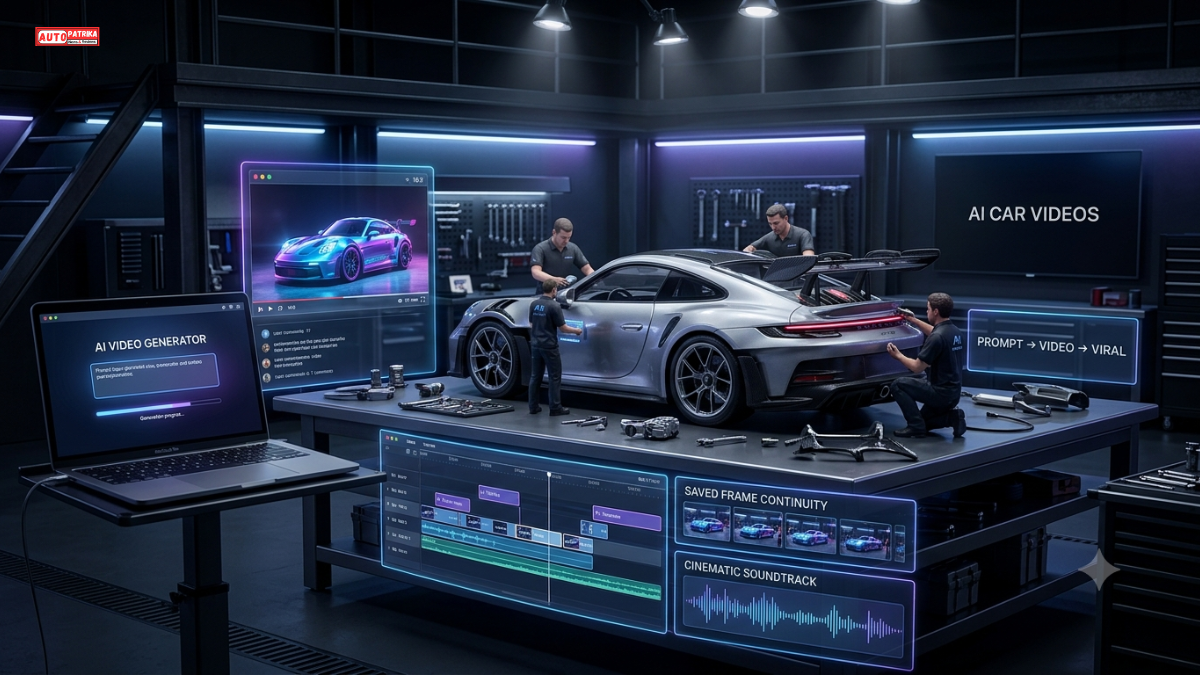
सबसे दिलचस्प बात यह है कि इस पूरे workflow में ChatGPT/Claude/Gemini/DeepSeek से prompts तैयार करने, Google Flow से video clips बनाने, Saved Frames से continuity बनाए रखने और CapCut से final editing तक का इस्तेमाल किया जा सकता है।
हालांकि viral होने की कोई गारंटी नहीं है। लेकिन सही workflow के साथ आप कम लागत में इस तरह के content को test जरूर कर सकते हैं।
इस AI Car Modification Video Workflow में क्या-क्या चाहिए?
इस पूरे process को मुख्य रूप से कुछ हिस्सों में बांटा जा सकता है:
| काम | इस्तेमाल होने वाला Tool |
|---|---|
| Ideas और Prompts | ChatGPT / Claude / Gemini / DeepSeek |
| AI Video Generation | Google Flow |
| Video Model | उपलब्ध OmniFlash विकल्प |
| Continuity | Saved Frames |
| Video Editing | CapCut |
| Background Music | Suno AI |
| Final Export | CapCut |
Source में बताया गया workflow ChatGPT के साथ demonstrate किया गया है, लेकिन Claude, Gemini और DeepSeek को भी prompt generation के लिए इस्तेमाल करने का विकल्प दिया गया है।
Step 1: सबसे पहले AI से Car Video का Idea तैयार करें
सबसे पहले किसी AI chatbot को खोलें।
आप ChatGPT, Claude, Gemini या DeepSeek में से किसी का इस्तेमाल कर सकते हैं। Source के अनुसार पूरी तरह free option चाहने वाले users के लिए DeepSeek का सुझाव दिया गया है, लेकिन अलग-अलग platforms की free limits समय के साथ बदल सकती हैं।
अब अपने master prompt को chatbot में paste करें।
Prompt process के बाद chatbot आपसे पूछ सकता है कि आप कितने car videos बनाना चाहते हैं। Source workflow में 1 से 10 तक videos चुनने का विकल्प दिया गया है।
इसके बाद आपको अलग-अलग vehicles और colors के विकल्प मिल सकते हैं।
AI Car Modification Video उदाहरण के लिए:
- Mercedes-AMG G63
- Range Rover Sport
- Porsche 911 GT3
- BMW M4 Competition
- Rolls-Royce Cullinan
आप अपनी पसंद की कार और उसका color चुन सकते हैं।
Step 2: AI Car Modification Video: Car और Color चुनें
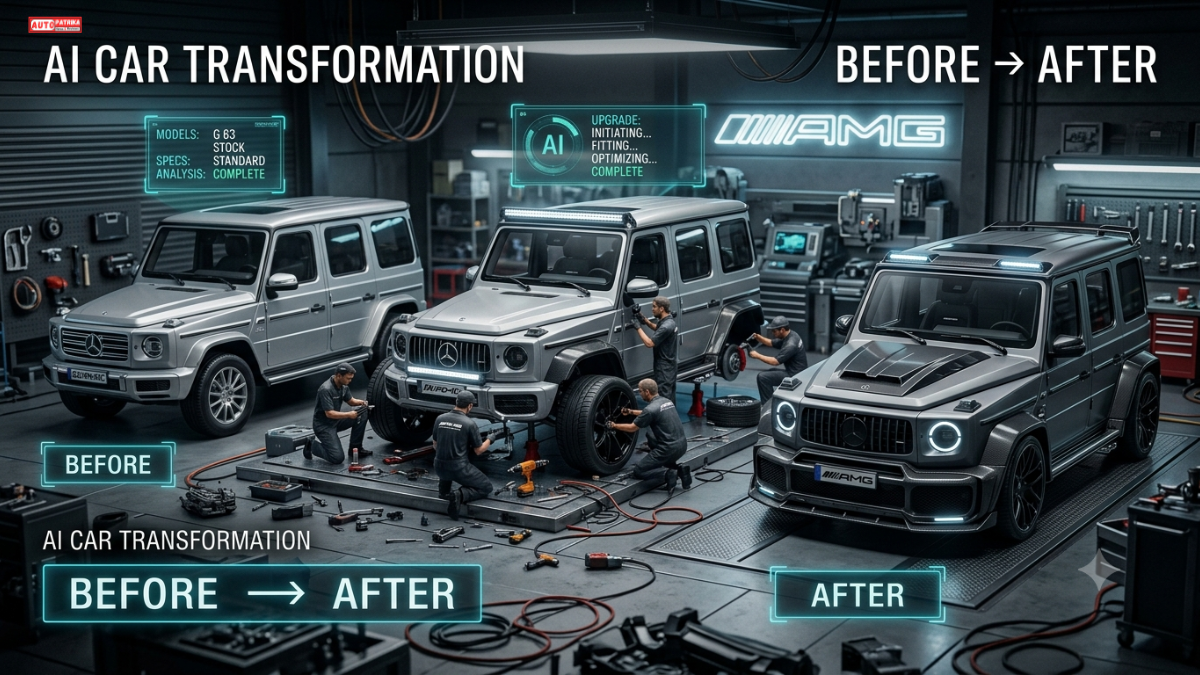
मान लीजिए आपने Mercedes-AMG G63 चुनी।
अब उसके साथ color select करें, जैसे:
Metallic Silver
AI इसके बाद आपके लिए एक detailed video prompt तैयार करेगा।
इस prompt की सबसे महत्वपूर्ण चीज होगी Vehicle Consistency।
इसमें कार का:
- Model
- Color
- Environment
- Lighting
- Scale
- Visual Style
जैसी चीजों को consistent रखने के instructions शामिल किए जा सकते हैं।
यही consistency AI-generated car videos में काफी महत्वपूर्ण है।
Step 3: Short Form या Long Form Video चुनें
अब आप तय कर सकते हैं कि आपको छोटा video बनाना है या लंबा।
AI Car Modification Video Short Form
लगभग 10 सेकंड का fast-paced car modification video।
इसमें पूरी modification journey को छोटे-छोटे shots में दिखाया जाता है।
AI Car Modification Video Long Form
लंबे video के लिए कई connected clips तैयार किए जाते हैं।
Source workflow में long-form sequence को अलग-अलग Chunk 1, Chunk 2 और Chunk 3 में divide किया गया है।
Step 4: Google Flow में AI Car Modification Video Generate करें
अब Google Flow खोलें और नया project शुरू करें।
Short video के लिए source workflow में:
- Video Mode
- Ingredients
- Vertical Aspect Ratio
- OmniFlash Model
- करीब 10 सेकंड Duration
- 1x Output
जैसी settings इस्तेमाल की गई हैं।
इसके बाद ChatGPT से तैयार किया गया पूरा video prompt Google Flow में paste करें।
Generate पर क्लिक करने के बाद AI video तैयार करेगा।
AI Car Modification Video: Shorts और Reels के लिए Vertical Video रखें
अगर आपका target है:
YouTube Shorts + Instagram Reels + TikTok
तो vertical format ज्यादा practical रहेगा।
Source workflow में short-form test के लिए vertical aspect ratio इस्तेमाल किया गया है।
वहीं traditional YouTube video के लिए 16:9 format इस्तेमाल किया जा सकता है।
Step 5: AI Video में Car Consistency कैसे बनाए रखें?
यहीं से workflow थोड़ा ज्यादा interesting हो जाता है।
AI-generated videos में कई बार अगले scene में कार का:
- Color बदल सकता है
- Shape बदल सकता है
- Background बदल सकता है
- Modification अलग दिखाई दे सकती है
इस समस्या को कम करने के लिए source में Saved Frame Continuity workflow इस्तेमाल किया गया है।
पहले clip के आखिर में एक साफ frame चुनें और उसे save करें।
फिर उस saved frame को अगले video generation के reference/start point के रूप में इस्तेमाल करें।
इससे अगला scene पिछले scene से जुड़ा हुआ दिखाई देने की संभावना बढ़ती है।
Step 6: Long AI Car Modification Video बनाएं
अब मान लीजिए आपने Rolls-Royce Cullinan चुनी और Titanium Gold color select किया।
AI chatbot से Long Form Prompt तैयार करवाएं।
इसके बाद:
Chunk 1 → Video Generate
फिर:
End Frame Save → Chunk 2 → Video Generate
और अंत में:
End Frame Save → Chunk 3 → Video Generate
इस तरह कई छोटे AI clips को एक connected car modification story में बदला जा सकता है।
Source example में इसी तरीके से तीन clips को जोड़कर करीब 22 सेकंड का complete sequence तैयार किया गया।
Step 7: AI Clips को एक साथ जोड़ें
Google Flow के workflow में generated clips को एक साथ जोड़ने का विकल्प भी इस्तेमाल किया गया है।
पहले video के बाद दूसरा clip add करें।
फिर तीसरा clip जोड़ें।
इससे पूरी modification journey एक continuous sequence की तरह दिखाई दे सकती है।
इसके बाद final video को export करके editing के लिए आगे इस्तेमाल किया जा सकता है।
Step 8: CapCut में Final Editing करें
अब video को CapCut जैसे editing application में import करें।
सभी clips को सही order में timeline पर रखें:
Opening Scene → Modification → Continuation → Final Reveal
इसके बाद video को और professional बनाने के लिए:
- Background Music
- Mechanical Sounds
- ASMR Effects
- Captions
- Sound Effects
- Final Reveal
जोड़ सकते हैं।
Source workflow में CapCut का इस्तेमाल generated clips को arrange करने और background music तथा sound effects जोड़ने के लिए किया गया है।
AI Car Modification Video में ASMR Sound क्यों जरूरी है?
इस तरह के videos में सिर्फ visuals ही आकर्षण नहीं होते।
Metallic clicks, tools की आवाज, parts fit होने की sound, carbon-fiber components और engine startup जैसे sounds video को ज्यादा satisfying बना सकते हैं।
यही वजह है कि Car Modification niche को Visual + ASMR Content के combination के रूप में भी इस्तेमाल किया जा सकता है।
AI Car Modification Video: Suno AI से Background Music बनाएं
Background music के लिए source workflow में Suno AI का इस्तेमाल किया गया है।
उदाहरण के लिए prompt कुछ ऐसा हो सकता है:
“Cinematic background music for a miniature luxury car customization video, satisfying mechanical ASMR atmosphere, premium automotive commercial energy, instrumental only, no vocals.”
इसके बाद generated tracks में से अपने video के mood के अनुसार soundtrack चुना जा सकता है।
ध्यान रखें: AI-generated music को monetize या commercially publish करने से पहले संबंधित platform और AI service की मौजूदा licensing/usage terms जरूर जांचें।
Final Video Export करने से पहले ये 7 चीजें चेक करें
वीडियो publish करने से पहले पूरा video एक बार जरूर देखें।
AI Car Modification Video Checklist:
✅ कार का रंग शुरू से अंत तक consistent है?
✅ Car model अचानक बदल तो नहीं गया?
✅ Transitions smooth हैं?
✅ Modification sequence सही है?
✅ Music बहुत तेज तो नहीं है?
✅ ASMR effects natural लग रहे हैं?
✅ Final car reveal पर्याप्त समय तक दिखाई दे रहा है?
अगर इन चीजों में कोई समस्या है तो final export से पहले उसे ठीक करें।
AI Car Modification Videos से कमाई हो सकती है?
AI-generated videos को YouTube, Instagram या Facebook जैसे platforms पर publish किया जा सकता है, लेकिन monetization automatic नहीं है।
Platform की current policies, originality requirements, AI-content disclosure rules और commercial-use permissions को ध्यान में रखना जरूरी है।
सिर्फ AI से कई videos generate करके लगातार upload करना पर्याप्त नहीं है। बेहतर परिणाम के लिए अपनी storytelling, editing, sound design और creative direction जोड़ना ज्यादा महत्वपूर्ण है।
इस Niche में कौन-कौन से Videos बनाए जा सकते हैं?
एक बार workflow तैयार हो जाने के बाद आप कई तरह के concepts test कर सकते हैं:
Luxury Car Modification
Rolls-Royce, Mercedes, BMW और Porsche जैसी luxury cars के miniature modification videos।
Supercar Transformation
एक सामान्य car को futuristic supercar में बदलने का concept।
Satisfying Car Build
एक-एक part को install करते हुए satisfying video।
Future Car Modification
AI कल्पना के जरिए 2050 की futuristic cars।
Miniature Garage
छोटे mechanics द्वारा luxury cars को modify करने की fictional दुनिया।
Electric Car Transformation
EV को futuristic performance machine में बदलने वाले concepts।
48 घंटे का AI Car Content Plan
अगर आप इस niche को test करना चाहते हैं तो शुरुआत में यह simple plan अपनाया जा सकता है:
पहले 6 घंटे:
Niche + Car Concepts + Prompts
अगले 6 घंटे:
पहले 2–3 Short Videos Generate करें
अगले 6 घंटे:
Long-form continuity video तैयार करें
अगले 6 घंटे:
CapCut Editing + Music + ASMR
अंतिम 24 घंटे:
YouTube Shorts, Instagram Reels और Facebook पर अलग-अलग versions publish करके performance देखें।
यह viral होने की गारंटी वाला formula नहीं, बल्कि तेजी से content idea test करने का workflow है।
निष्कर्ष: AI Car Modification Niche में अभी क्यों करें शुरुआत?
AI Car Modification Videos में तीन चीजें एक साथ आती हैं, कारों का आकर्षण, satisfying transformations और AI-generated visuals।
इसका सबसे बड़ा फायदा यह है कि creator को हर बार असली car modification shoot करने की जरूरत नहीं पड़ती। AI prompts, video generation, saved-frame continuity, editing और sound design को एक workflow में जोड़कर नए concepts लगातार test किए जा सकते हैं।
ये भी पढे
Samsung Motion Photo Wallpaper: One UI 9 में आया ये शानदार फीचर, ऐसे लगाएं Moving Photo
Samsung Motion Photo Animated Wallpaper: फोटो को बनाएं Live, ऐसे करें सेटिंग